
What's PLANERGY?

Modern Spend Management and Accounts Payable software.

Helping organizations spend smarter and more efficiently by automating purchasing and invoice processing.

We saved more than $1 million on our spend in the first year and just recently identified an opportunity to save about $10,000 every month on recurring expenses with PLANERGY.

King Ocean Logo

Cristian Maradiaga

King Ocean

Download a free copy of "Preparing Your AP Department For The Future", to learn:

  • How to transition from paper and excel to eInvoicing.
  • How AP can improve relationships with your key suppliers.
  • How to capture early payment discounts and avoid late payment penalties.
  • How better management in AP can give you better flexibility for cash flow management.

Audit Trail: What Is It and Why It’s Important in Accounting

KEY TAKEAWAYS

  • An audit trail is a chronological record of all system and transaction activity (who did what, when, where, and how), providing a backbone for accuracy, accountability, and integrity in accounting.
  • There are multiple types of audit trails (system, application, user, network, financial, operational/sensitive data, and manual) each capturing different aspects of activity but all sharing some common requirements.
  • An audit trail is broader than an audit log: the trail traces the full lifecycle and context of a transaction for compliance and accountability, while logs are component records of specific events (like logins, system changes, etc.).
  • Audit trails support security, compliance, and faster problem resolution, and they’re critical for detecting financial discrepancies, fraud, and policy violations.
  • Maintaining accurate audit trails can be challenging due to human error, data volume, fragmented systems, weak access controls, inconsistencies, regulatory complexity, and outdated technology, all of which can undermine reliability.
  • Automated systems, and tools like PLANERGY, strengthen audit trails by automatically recording all actions, enabling three-way matching, improving fraud detection and simplifying audits.

The term ‘audit’ is usually associated with the IRS or another tax authority. However, the words ‘audit’ and ‘audit trail’ are essential parts of your accounting processes.

But what exactly is an audit trail, and why is it so important to have one in place?

What Is an Audit Trail?
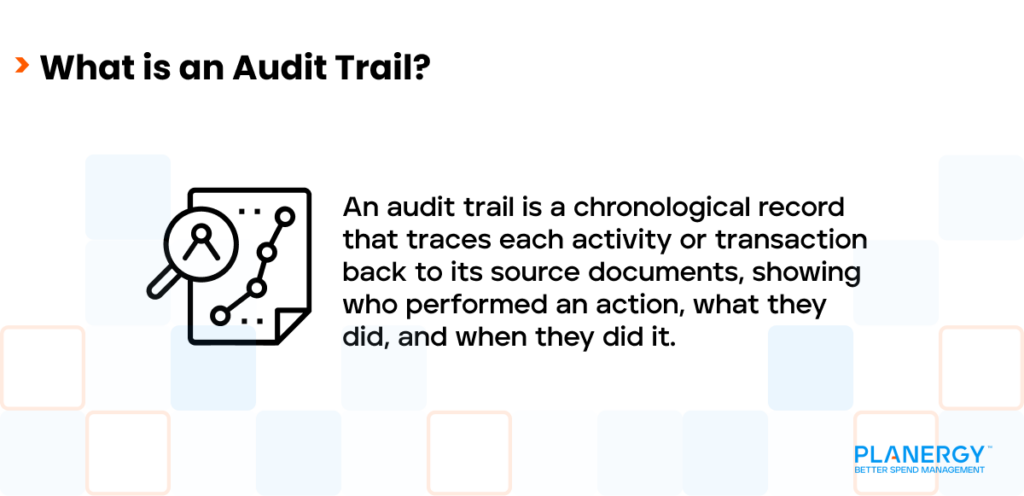
What is an Audit Trail_ 3

Audit trail records provide documentation of any changes made in a software application, recording the following information:

  • Date and time of transaction
  • Identification of who completed the transaction
  • What was done (sequence of events)
  • The area involved (AP, AR, etc.)
  • Transaction result
  • Transaction source (device or IP address)
  • Transaction details

This information is essential for verifying the accuracy and integrity of system data and helping to pinpoint unauthorized transactions.
What Are the Different Types of Audit Trails?

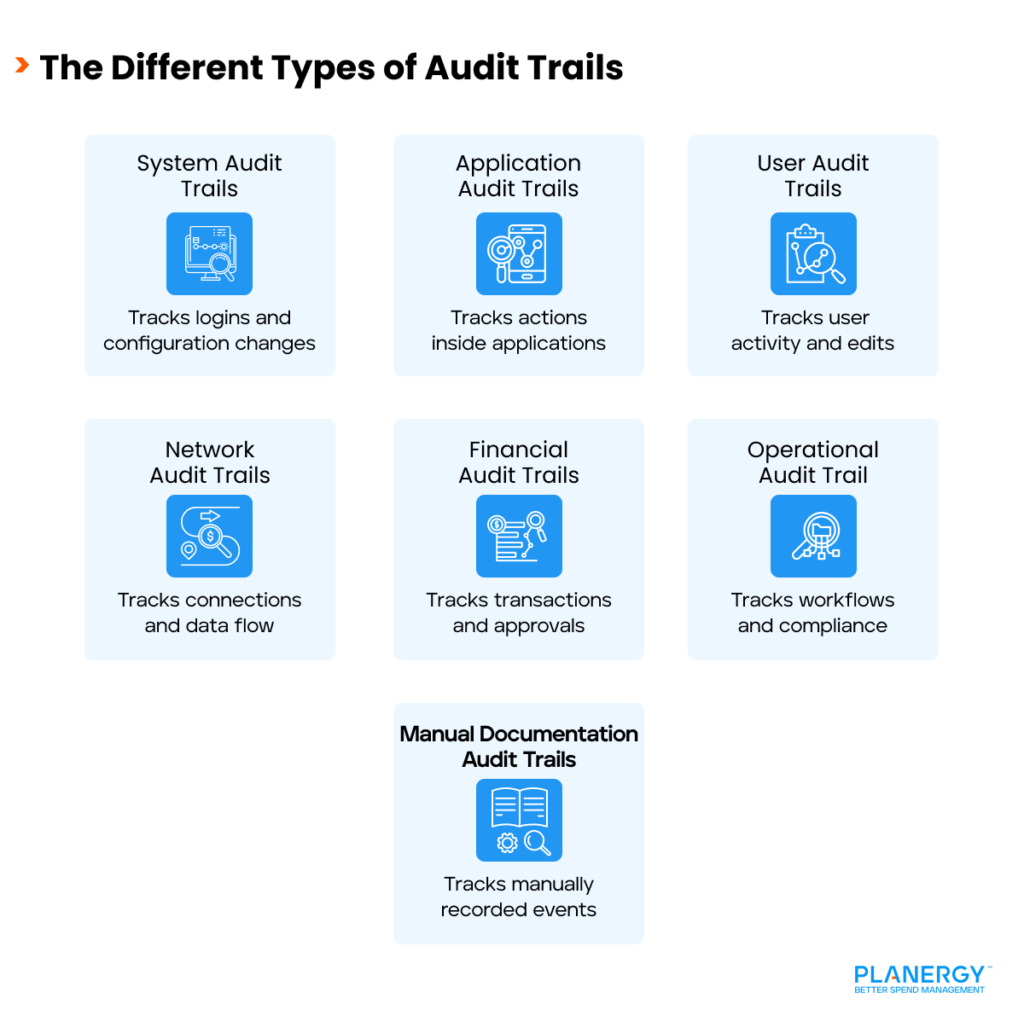
Audit trail data varies depending on the type of audit trail used. There are several types of audit trails that can be utilized, depending on the needs of a particular business.What are the Different Types of Audit Trails_

System Audit Trails

System audits record information like system startup and shutdown, user logins and logouts, and any configuration changes.

Application Audit Trails

Application audit trails are application-specific, recording actions such as the creation, modification, or deletion of records within that specific application.

User Audit Trails

User audit trails record system use for each user, including date and time of system access, along with any changes made to the system.

Network Audit Trails

Network audit trails capture all network activity, including system connections, data transfers, and any configuration changes.

Financial Audit Trails

For internal or external audits, the financial audit trail is one of the most important. It tracks financial transaction details, including date and time, user ID, and the purpose of each general ledger entry.

Financial audit trails also monitor financial records and other financial activity including invoice approvals, while helping to verify the authenticity of each transaction.

Operational and Sensitive Data Audit Trails

These audit trails track workflow inefficiencies and help public companies maintain compliance with regulatory agency requirements.

Manual Documentation Audit Trails

Manual documentation audit trails use manual record-keeping to record events and is considered less efficient than their automation counterpart.

Any effective audit trail, regardless of the type, has the following features in common:

  • Step-by-step recording of all system activity.
  • Real-time access to record-keeping and system activities.
  • Secured to prevent unauthorized activity.
  • Detailed record, including user identity, date and timestamps, and a description of any changes made.

What is the Difference Between an Audit Log and an Audit Trail?

The terms audit log and audit trail are often used interchangeably, and they do have some similarities, but there are some key differences to be aware of.

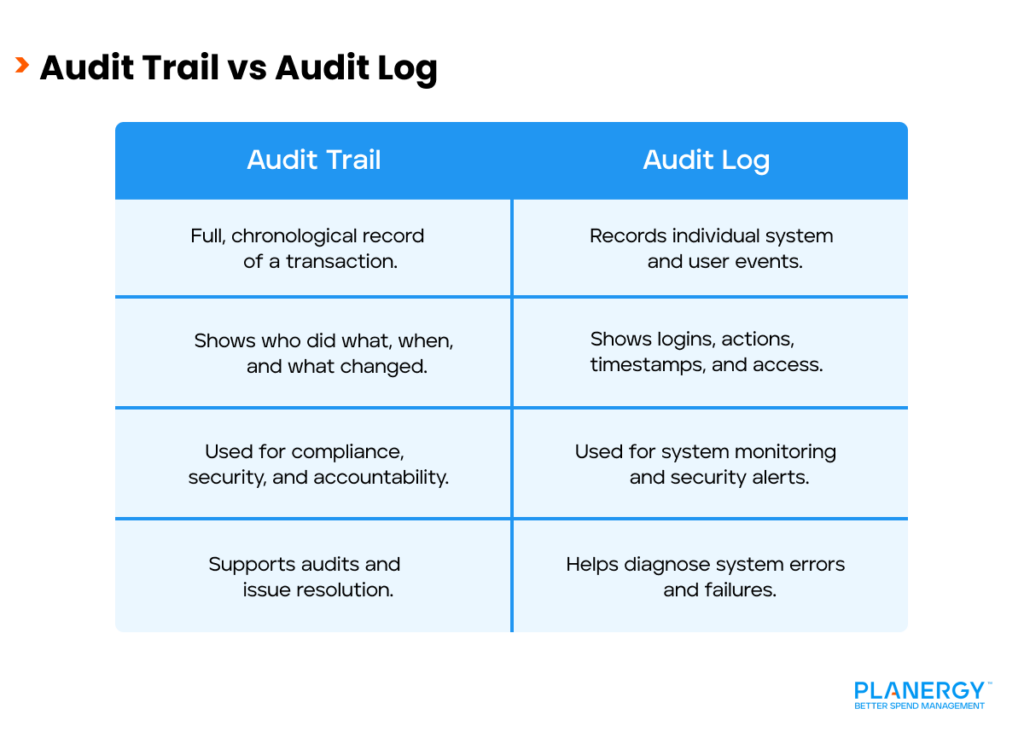
Audit Trail vs Audit Log

First, an audit trail has a broader concept that encompasses a complete, chronological record of events, while an audit log is one of the components of an audit trail.

Next, an audit trail is designed for compliance, security, and accountability, identifying the entire chain of events attached to each transaction.

For example, each time you record an invoice in your accounts payable system, the system records who entered the invoice, the date it was entered, and who entered it.

When an auditor looks at that entry, there should be a corresponding invoice that matches the information entered. If another employee logs into the system and changes any of the information regarding that invoice, it will be recorded in the audit trail.

An audit log is simply the recording of all transactions, and it is part of the overall audit trail, but is only one component.

For instance, an audit log will display the names of everyone who logged into the computer on a specific date and time, but it does not necessarily contain all of the other details found in the audit trail.

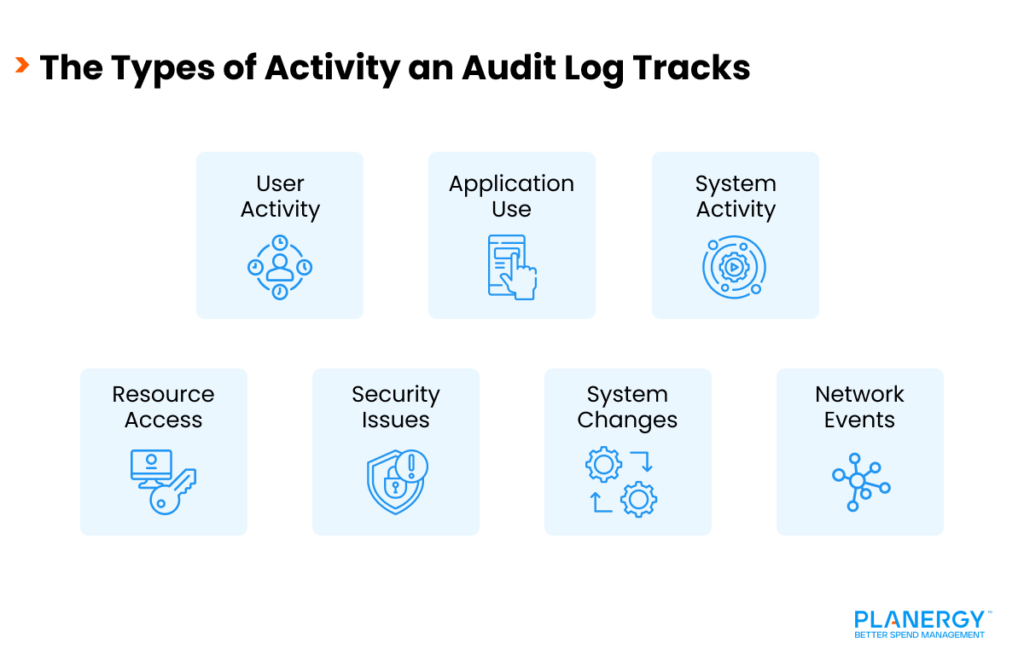
What Types of Activity Do Audit Logs Track?

Unlike an audit trail, which tracks the life of a transaction from original post to time and date, an audit log tracks all digital activity, including the following:  
The Types of Activity an Audit Log Tracks

User Activity

All user activity, including user login and logins, timestamps, user IDs, and IP addresses, is logged to track system access. Doing so provides a window into user access patterns and helps to identify any unauthorized login attempts.

Application Use

The audit log tracks how each application is used, including what features are accessed, as well as recording transaction details.

System Activity

System activity records system start-ups and shutdowns, along with errors and failures, which helps in the diagnosis of any system issues.

Resource Access

This tracks details on each user, the files, folders, or databases they accessed, as well as where those resources were accessed from.

System Changes

The audit log also tracks system modifications, including system configuration changes, updates in user permissions, or access to data.

Security Issues

Security-related alerts such as multiple failed login attempts, malware detection, or other suspicious activity are recorded in the audit log.

Network Activity

Network connectivity, internal communication between systems, and data transfers are all recorded in the audit log to better detect any potential breaches.

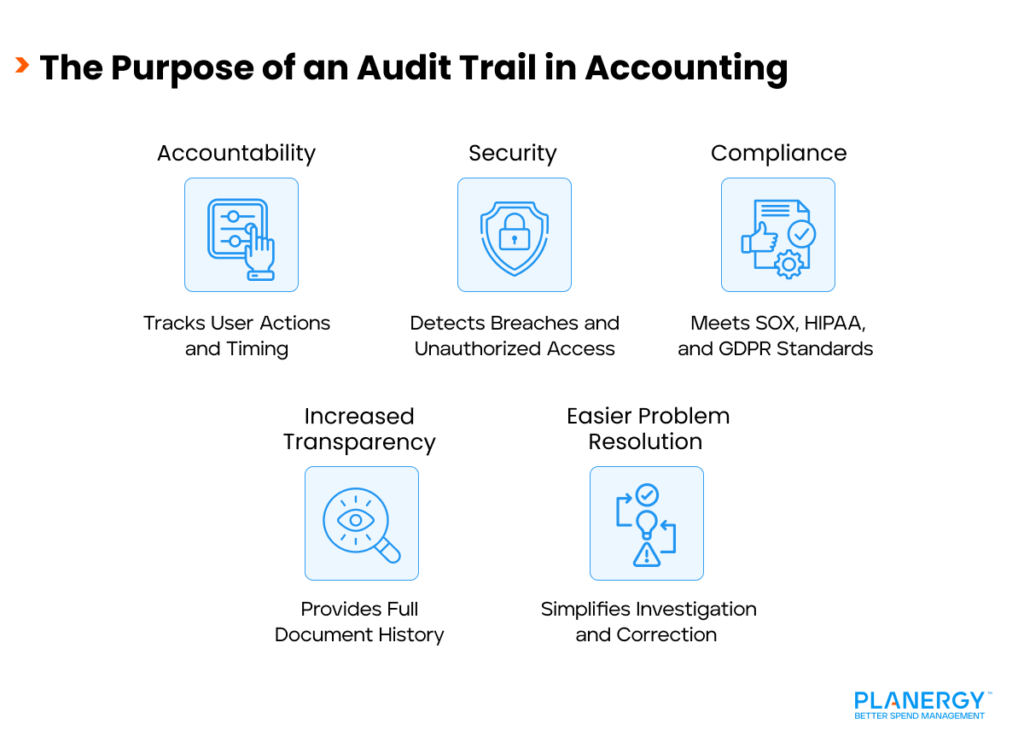
The Purpose of an Audit Trail in Accounting

An audit trail in accounting is used to provide a detailed record of all activities and transactions within a system.

The availability of this information helps to ensure accountability, transparency, and integrity across departments and platforms.
The Purpose of an Audit Trail in Accounting

Accountability

By recording all system data, including who completed a transaction, when the transaction was completed, and what was done, an audit trail ensures accountability.

Security

Audit trails provide data protection, safeguarding sensitive information by identifying possible data breaches, unauthorized access, and data manipulation.

Compliance

If you’re a publicly traded company, your business must remain compliant with all industry standards. An audit trail provides the verification you need to remain compliant with regulatory requirements such as SOX, HIPAA, or GDPR.

Increased Transparency

When undergoing an internal or external audit, the audit trail provides detailed information on all system activities and changes, identifies who made the changes and when. This makes it a useful resource for fraud prevention.

Easier Problem Resolution

An audit trail can help facilitate problem resolution by easily flagging discrepancies and identifying the root cause.

Example of an Audit Trail

An audit trail in accounts payable would be as follows:

Examples of an Audit Trail


Your business creates a purchase order for $10,000 worth of product from a vendor.

The purchase order is approved and sent over to the vendor for fulfillment. The products are then shipped, along with an invoice from the vendor, with a shipping receipt included in the shipment.

Once the invoice is received, it is approved for payment and later paid. If an auditor requests information about the purchase, they will be able to see that the amount of the invoice paid directly ties back to the original purchase order and shipping receipt, and that all the necessary approvals are in place.

The bank reconciliation process is another example of an audit trail.

All checks that clear the bank should have the same information attached as the previous example: purchase order approval, invoice approval, and a product/service receipt.

For example, an auditor may look at the list of cleared checks or electronic payment transactions and request backup for that transaction. Any payment made without the necessary backup will be easily identified, with further research necessary.

An audit trail also tracks system and transactional changes. For instance, if a change is made to an AP or AR balance, the audit trail will help identify when the transaction was made and by whom.

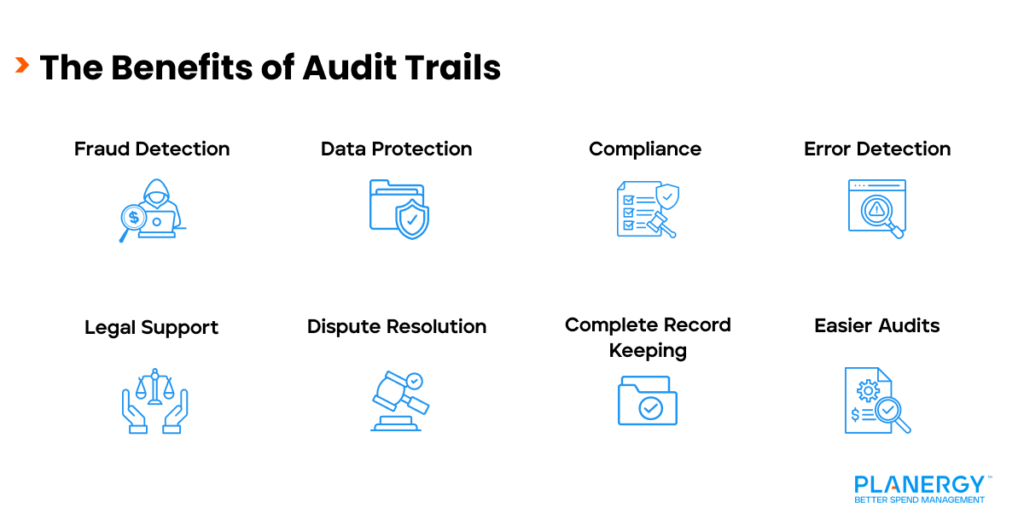
The Benefits of an Audit Trail

The Benefits of Audit Trails
Having access to a detailed audit trail provides a host of benefits, starting with accountability and transparency. But there are several other benefits to having an audit trail:

  • Increased fraud detection
  • Enhanced data security
  • Improved compliance
  • Error detection
  • Problem identification and resolution
  • Legal compliance
  • Complete transaction history
  • Improved audit process

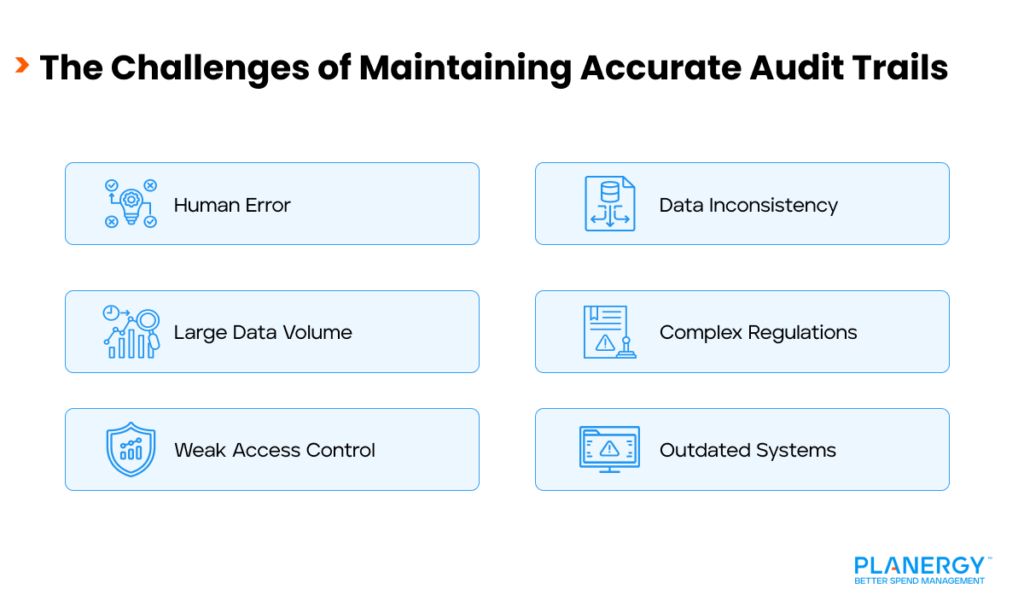
The Challenges of Maintaining Accurate Audit Trails

The software and systems you utilize in your business play a direct role in how easy (or difficult) it is to maintain an accurate audit trail.

The following are just a few of the challenges businesses may face when attempting to maintain an accurate audit trail.
What are the Challenges of Maintaining Accurate Audit Trails_

Human Error

Human error represents one of the biggest challenges when attempting to maintain an accurate audit trail. Seemingly minor typos, missing data, and data entry errors can severely impact the accuracy of an audit trail.

Data Volume

Depending on the system(s) you use, you may not be able to maintain an accurate audit trail. This is particularly true if you’re using multiple systems that do not integrate, or if you have a high number of transactions that need to be tracked using multiple systems.

Access Control

Audit trail details need to be accessible to authorized personnel while being secure from unauthorized access. Weak or non-existent internal controls may result in data tampering and an inaccurate audit trail.

Data Inconsistency

If your business is using multiple systems to track data, the disparity can make it more difficult to maintain an accurate audit trail across multiple platforms, with incompatibility making it more difficult to maintain an accurate audit trail.

Regulatory Compliance

Regulatory compliance can be difficult if your business needs to abide by numerous regulations with varying standards.

Technology Advancement

Not staying up to date with the latest technology can render your audit trails inaccurate and increase cybersecurity issues.

How Audit Trails Help in Detecting Financial Discrepancies and Fraud

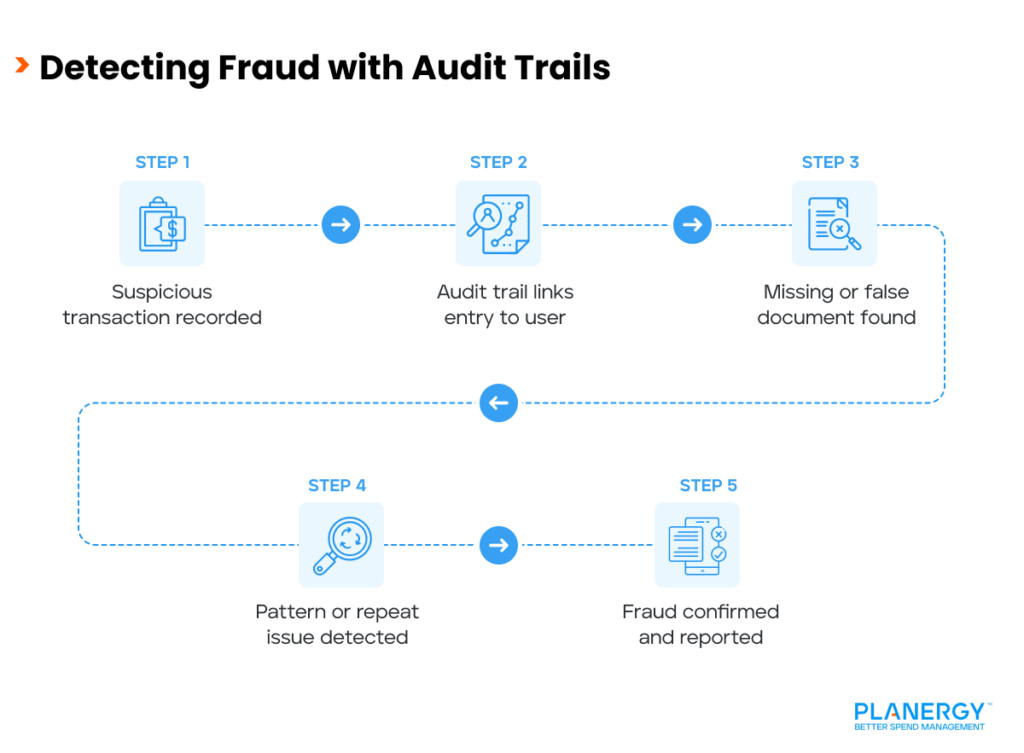
One of the most important functions of an accurate audit trail is its ability to identify fraudulent and suspicious activity.
Detecting Fraud with Audit Trails

For example, let’s say that employee A decides to record a fraudulent invoice through accounts payable. Ideally, the fraudulent invoice should be detected during the three-way matching process in accounts payable.

But even if it’s not caught then, it will likely be flagged during the bank reconciliation process, since it doesn’t have any backup materials to verify its authenticity.

An accurate audit trail can help to reveal recurring patterns or inconsistencies such as duplicate entries, unauthorized journal entries, or financial adjustments made without any backup.

Finally, an audit trail helps identify any deviations from established policies and procedures, which may indicate fraudulent activity.

How Audit Trails Enhance Financial Transparency and Accountability

Audit trails enhance both transparency and accountability by providing an accurate, chronological record of all system actions and events.

Transparency

It’s impossible to hide events and actions when an audit trail is used, since it records every transaction made and who it’s made by.

It also helps ensure that processes and procedures are adhered to, while providing auditors and other stakeholders with a detailed view of all events.

Accountability

It’s impossible to deny responsibility or accountability when every transaction is traced back to a specific system user.

It also encourages employees to abide by established rules and regulations and enhances compliance capability with various regulatory agencies.

How an Audit Trail Used in AP Automation Software

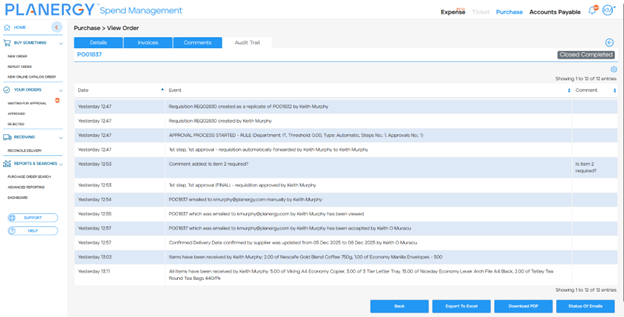
Accounts Payable (AP) automation software like PLANERGY, provides an audit trail by recording and tracking the following information:

  • Records Invoice receipt, approval, and payment data.
  • Provides a complete record of who initiated, approved, modified, and paid invoices.
  • Verifies AP transactions by matching purchase order information for invoice data before an invoice is approved and payment initiated.
  • Tracks the entire approval process, including when the invoice was sent for approval to when it was approved, while also tracking the approver.
  • Identifies errors and supports error correction from authorized personnel.
  • Helps detect fraudulent activity by identifying unusual patterns or unauthorized transactions.

  • Provides a historical record of all AP activities for reference or analysis and trend identification.
  • Assists in dispute resolution by providing a detailed view or timeline of events.
  • Offers an extra level of security by monitoring system use and access to financial data.

An audit trail prepared manually may be viewed as inadequate by external auditors since there is no guarantee that all transaction data has been recorded.

Automated accounting systems, including AP systems, automatically record all transactions, thus providing a complete, accurate audit trail.

An audit trail is not merely the recording of transactions, but a way for your finance team to ensure accountability and transparency for your entire system and your entire business operations.

What’s your goal today?

1. Use PLANERGY to manage purchasing and accounts payable

We’ve helped save billions of dollars for our clients through better spend management, process automation in purchasing and finance, and reducing financial risks. To discover how we can help grow your business:

2. Download our guide “Preparing Your AP Department For The Future”

Download a free copy of our guide to future proofing your accounts payable department. You’ll also be subscribed to our email newsletter and notified about new articles or if have something interesting to share.

3. Learn best practices for purchasing, finance, and more

Browse hundreds of articles, containing an amazing number of useful tools, techniques, and best practices. Many readers tell us they would have paid consultants for the advice in these articles.

Business is Our Business

Stay up-to-date with news sent straight to your inbox

PLANERGY LOGO

Sign up with your email to receive updates from our blog